
Best Standing Desk in India 2026 – The Sleep Company vs JIN vs ErgoYou vs ARTIKEL (Complete Buying Guide)
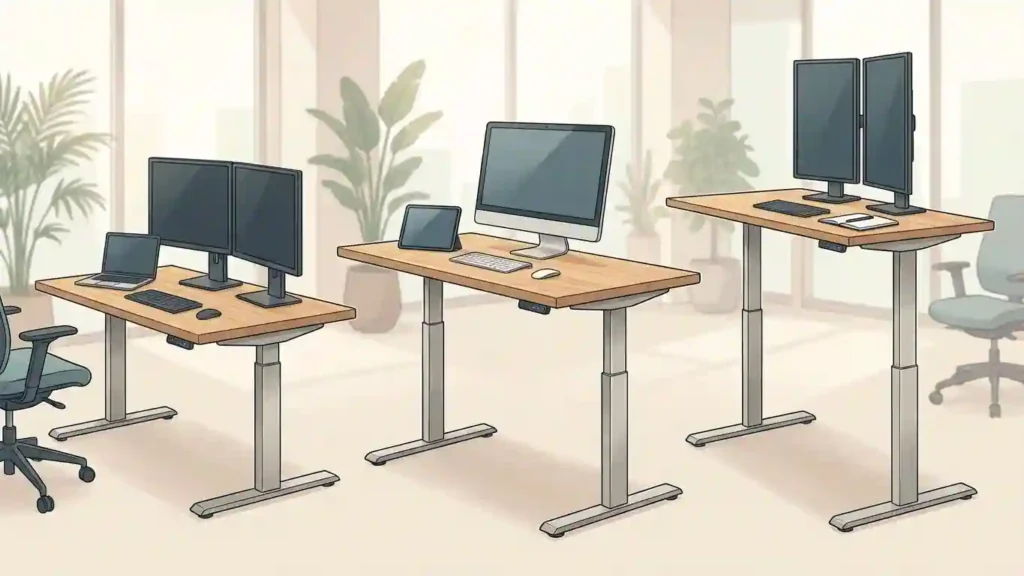
Poor posture and hours spent in one position are common problems for anyone working from home or at an office. Swapping between sitting, standing, and light movement throughout the day is the healthiest approach. A height-adjustable desk makes that easy, and pairing it with an under-desk treadmill can cover your step goals without interrupting work.
Which type of standing desk should you buy?
There are two broad choices: manual and motorized (electric) standing desks. Each has pros and cons, so pick based on budget, convenience, and how often you plan to switch positions.
Manual standing desks
- Pros: Lower cost, no electricity required.
- Cons: Height changes are manual and time consuming, no memory presets, more friction to switch between sitting and standing.
Motorized standing desks
- Pros: One-button height changes, programmable memory presets, smoother operation.
- Cons: Higher price and require power.
If your budget allows, I recommend a motorized desk. The convenience of presets alone makes it easy to alternate positions throughout a busy day.
Key factors to consider before buying
1. Height range and desk stages
Choose a desk that matches your height. For people taller than 5 foot 10 inches, aim for desks that reach 50 inches or higher. As maximum height increases, stability can drop, so look for a three-stage leg design for taller desks. For typical heights, a two-stage desk supporting up to 47 inches is usually sufficient.
2. Motors and weight capacity
The weight you plan to keep on the desk—monitors, speakers, laptops, docking stations—dictates motor choice.
- Light setups: Single motor desks are fine if you use a laptop or a single desktop.
- Heavy setups: Dual motor desks with higher capacity (80 kg and above) are better for dual-monitor or workstation rigs. For 100 kg plus, pick a dual motor, three-stage frame for stability at full height.
3. Tabletop size and customization
Common widths are roughly 48 inches (4 feet) and 60 inches (5 feet). Depths usually range from 24 to 30 inches. Most pre-built desktops are under 1 inch thick, and many brands sell frames only if you prefer to add a custom tabletop to match your decor.
4. Memory presets
All motorized desks include memory presets. If you are the only user, two memory positions are convenient. If multiple people will use the desk, consider a model with four or more presets so everyone can store their preferred heights.
5. Stability at maximum height
Higher desks and heavier loads reduce stability. For tall users or heavy equipment, prioritize dual motors, three-stage legs, and higher weight ratings to maintain a wobble-free surface at top height.
Optional features worth considering
These extras are handy but usually solvable with aftermarket accessories.
- Drawers: Useful for storage and hiding cables. I missed this on my desk and often wished for the extra space.
- Cable management trays: Strongly recommended—standing desks can quickly turn into a cable mess without one.
- Headphone or cup holders, USB ports, wireless charging: Nice-to-haves but not deal breakers.
- Anti-collision: The desk stops if it detects an obstruction. This is standard on most modern motorized desks and worth having.
- Smart features: Some desks offer app control, voice integration, or health reminders. These are uncommon in some markets but can be helpful for automated sit/stand reminders.
Service, warranty, and installation
Service quality varies between brands. Expect 2 to 3 year warranties on many desks; some premium models offer 4 years. Installation is usually DIY and straightforward—many people assemble a desk over a weekend without issues.
Recommendations by budget and use case
Below are practical choices grouped by price and intended setup. These recommendations prioritize stability, build quality, and useful features for each budget.
Best under ₹15,000 (budget)
- ARTIKEL Artidesk Lite – Supports up to 80 kg, max height around 46.5 inches. Good 4 foot by 2 foot size, includes cable management and handy accessories like a side hook and cup holder. Several color options. Great value for average-height users.
- White Mulberry – Industrial-grade carbon steel frame, supports 80 kg, two-stage single motor. Compact and solid for home office use.
- Furmax – Sturdy with good reviews, but limited service presence locally and often no warranty in some regions. If you can pay a bit more, prioritize models with warranty and local support.
Best under ₹20,000 (mid-range)
- Green Soul Trigger 2.0 – Wide 5.3 foot surface, asymmetric depth for ergonomic positioning, two-stage single motor, supports up to 80 kg. Includes wireless charging pad and USB port for tidy charging.
- The Sleep Company (Large) – Large 5.3 foot width, variety of color options, single motor two-stage operation supporting up to 80 kg. Good customer service in most areas.
Best for heavy setups and tall users (premium)
- JIN Office Zenith – Suitable for heavy setups up to 100 kg. Large desktop area and frame-only options if you want a custom top. Great for gamers, traders, and professionals using multiple monitors.
- JIN Office Titan Large – Dual motor, three-stage design supporting 125 kg and higher maximum height above 50 inches. Stable at full extension and ideal for tall users.
- ErgoYou E3 Series Large – Premium build, one of the best warranties (around 4 years), dual motor three-stage frame supporting up to 150 kg. Top choice if you need maximum stability and long-term reliability.
Quick buying checklist
- Decide manual vs motorized: Motorized for convenience and presets.
- Check max height: Taller than 5 foot 10 need 50 inch plus and a three-stage frame.
- Match weight capacity to your setup: 80 kg for normal use, 100 kg plus for heavy rigs.
- Pick the right tabletop size: 48 inches or 60 inches wide are common; depth 24 to 30 inches.
- Look for dual motors and three-stage legs if you need height and load stability.
- Consider extras: cable management, anti-collision, drawers, and charging options.
- Check warranty and local service: Longer warranty and reliable support matter for higher-end desks.
A standing desk is one of the most transformative upgrades you can make to your workspace. Choose with your height, load, and daily workflow in mind, and prioritize stability and convenience over bells and whistles. With the right desk, standing and sitting will become seamless parts of your day, and your back will thank you for it.
Disclaimer: Some links are affiliate links, which may earn me a small commission at no extra cost to you. 😊 Check: Affiliate Disclosure Page. and check our another social media acocunt: Click Here.
❓ FAQs
Q1. Are standing desks really worth it in 2026?
Yes. Alternating between sitting and standing improves posture, reduces back pain, and boosts productivity.
Q2. Which standing desk is best for tall users in India?
Dual-motor, three-stage desks like JIN Titan or ErgoYou E3 are ideal for users over 5’10”.
Q3. What is the best standing desk under ₹15,000?
ARTIKEL Artidesk Lite offers the best balance of stability, features, and price.
Q4. Single motor vs dual motor – which is better?
Single motors are fine for light setups. Dual motors are better for heavy equipment and long-term durability.